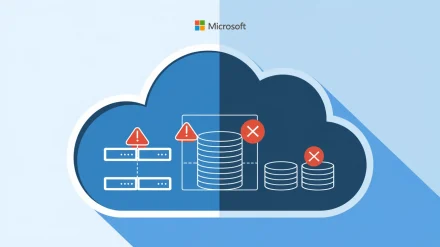
A manufacturing client called us at 04:12 on a Saturday because us-east-1 was having one of its quarterly bad days. Their Veeam backups were green for eighteen months straight. They were also sitting in the same region as the production workload that just went dark. We could not restore until AWS came back online seven hours later. That conversation is why S3 bucket region selection is now the first checkpoint on every Veeam cloud backup audit we run.
Picking a region feels like a two-second decision in the AWS console. It is not. Region choice dictates your recovery time objective, your compliance posture, your egress bill, and whether you can restore at all during a regional event. This audit walks through every checkpoint we use before we let a client point Veeam Backup & Replication at an S3 bucket.
Why Region Selection Belongs in Your DR Plan, Not Your Setup Wizard
Most engineers treat the region dropdown as a latency question. Closest region wins, click next, move on. That mindset survives until the first regional incident, and then it does not. AWS publishes Post-Event Summaries for significant impacts, and reading a few of them will cure anyone of single-region complacency.
The 3-2-1-1-0 rule applies in the cloud exactly as it does on tape. Three copies of data, two media types, one offsite, one immutable, zero errors on restore test. If your offsite copy and your production workload share a region, you do not have an offsite copy. You have a slightly further away copy that fails at the same time as everything else.
Pass/Fail Criteria for This Checkpoint
Pass: backup repository region is different from primary workload region, and you can document why. Fail: same region as workload, or chosen because it was the default.
Checkpoint 1: Compliance Before Convenience
One of our European clients learned this the hard way when an auditor asked where their patient records were physically located. The Veeam admin had picked us-east-2 because the latency graphs looked nice. The records were now subject to a jurisdiction the client had explicitly promised customers they would never use. That cost them a contract.
Before anything else, write down the data residency requirements for every workload going into the bucket. GDPR, HIPAA, PCI-DSS, schemes specific to your country — they all have opinions on where bytes are allowed to sit. The NIST Cybersecurity Framework treats data location as a governance function, not an infrastructure choice, and that is the right framing.
Pass/fail: every bucket region maps to a documented compliance requirement signed off by someone who is not the engineer who built it.
Checkpoint 2: Region Pairing for Cross-Region Replication
Single region storage is not a backup strategy. It is a single point of failure with extra steps. The architecture we deploy for managed Veeam customers always uses cross-region replication, and the pairing matters as much as the primary choice.
For a US-based client with workloads in us-east-1, we typically land the primary Veeam Scale-Out Backup Repository capacity tier in us-east-2 and replicate to us-west-2. Three regions, two coasts, one ocean between them. If a hurricane takes out a Virginia data center and a fiber cut isolates Ohio at the same time, Oregon is still answering S3 API calls. The probability is low. The cost of being wrong about that probability is your business.
Configure Replication on the Bucket, Not in Veeam
# Verify replication configuration on the source bucket
# Always check this monthly. Silent replication failures are the
# most common cause of incomplete DR copies in audits we run.
aws s3api get-bucket-replication \
  --bucket sse-client-veeam-primary \
  --region us-east-2

# Confirm the destination bucket exists and has versioning enabled
# Replication will not work without versioning on both sides.
aws s3api get-bucket-versioning \
  --bucket sse-client-veeam-dr \
  --region us-west-2
Pass/fail: cross-region replication is configured at the S3 layer, versioning is enabled on both buckets, and the destination bucket has Object Lock in compliance mode for the retention period required by your Veeam Cloud Connect repository policy.
Checkpoint 3: Immutability Lives Per-Region
Object Lock is a per-bucket setting, which means immutability lives per-region. We inherited an environment last year where the primary bucket had Object Lock in compliance mode and the replication target did not. The client believed they had an air-gapped copy. They had a copy that ransomware could absolutely encrypt if it ever got AWS credentials with replication-target access.
When you select regions for Veeam capacity tier and archive tier, verify Object Lock support and that compliance mode is available. Most major regions support it. Some newer regions and local zones do not, and Veeam will let you create the repository anyway. The error surfaces six months later during your first ransomware tabletop exercise.
Pass/fail: every region in the backup chain has Object Lock in compliance mode, retention is set to at least RPO + 7 days, and you have tested that you cannot delete an object before its retention expires.
Checkpoint 4: Egress Cost as a Recovery Time Multiplier
Cross-region replication is cheap. Cross-region restore is not. A client recovering 40 TB of VM data from us-west-2 back to a compute instance in us-east-1 paid more in egress fees during the restore than they had paid for a year of S3 storage. They also waited longer than the RTO they had committed to in their SLA, because cross-region throughput is not the same as in-region throughput.
The fix is architectural. Keep your primary capacity tier in the same region as your most likely recovery target. Replicate to a second region for DR. Restore in-region when possible, cross-region only when the primary region is the thing that died. The math on a 50 TB restore from a different continent will make a CFO unhappy in a way you do not want to experience.
Pass/fail: you have calculated the egress cost of a full restore from each region in the chain, and the number is documented in the DR runbook.
Checkpoint 5: Service Availability per Region
Not every AWS service is available in every region, and Veeam’s S3 integration has prerequisites. Object Lock, S3 Intelligent-Tiering, and S3 Glacier Instant Retrieval all have regional availability matrices that change. We had a project where a client picked a brand new region because the latency was excellent, only to discover that the storage class they wanted for archive tier was not available there yet.
Check the AWS Regional Services List before committing. Reference the Azure equivalent if you are running a multi-cloud Veeam setup, because the same logic applies to Blob storage tiers across regions.
Verification Script for Region Capabilities
# Confirm Object Lock can be enabled in the target region
# This is the most common silent failure we find in client audits.
aws s3api create-bucket \
  --bucket sse-region-test-$(date +%s) \
  --region us-west-2 \
  --create-bucket-configuration LocationConstraint=us-west-2 \
  --object-lock-enabled-for-bucket

# If this command errors, the region does not support Object Lock
# and you cannot use it as a Veeam immutable repository target.
Checkpoint 6: Latency Testing Before You Commit
The Veeam ingest path is sensitive to latency between the gateway server and the S3 endpoint. We test every candidate region with a controlled workload before cutover. Twenty milliseconds extra latency on every PUT adds up fast when you are uploading several terabytes of incremental backups every night.
Run actual measurements. Do not trust marketing latency maps. We use a small EC2 instance in the source region running aws s3 cp loops against candidate destination buckets, measuring throughput at realistic object sizes. The numbers are sometimes counter-intuitive — the geographically closer region is not always the lowest latency.
Checkpoint 7: Document Everything in the Runbook
Every region decision needs three lines in the DR runbook: which region holds what, why that region was chosen, and what the recovery procedure looks like if that region is unavailable. We make this mandatory on every managed backup engagement, and we review it quarterly through our client portal.
The caveat I always give: region selection is not a one-time decision. AWS adds regions, deprecates services, and adjusts pricing. We re-audit region strategy annually for every managed client, and we have moved repositories twice in the past three years because the original choice no longer made sense. If you set it and forget it, you will eventually discover that what was optimal in 2023 is suboptimal in 2026.
Audit Summary
If your S3 bucket region selection for Veeam backups passes all seven checkpoints, you have a defensible architecture. If it fails any of them, fix that one before moving on. The order matters: compliance first, because no amount of clever architecture saves you from an auditor with a subpoena. Replication second, because single-region is not backup. Immutability third, because ransomware does not respect your retention policy unless Object Lock makes it.
The practical takeaway is this: pull up your current Veeam repository configuration right now and answer two questions. Which region is the bucket in, and where is the replicated copy? If you cannot answer both in five seconds, your next restore is going to be an unpleasant surprise. If you want a second pair of eyes on the architecture before you find out the hard way, reach out to us and we will run the audit checklist against your environment. But have you tested the restore?
Related reading: Automated Vulnerability Scanning for Cloud Resources: A Checklist | Configuring an AWS Virtual Tape Library for Veeam Backups | Veeam Failover Plans: Orchestrating DR Across Multiple VMs