Two ransomware tabletop exercises in the same quarter, both ending the same way: the auditor asking where our offline copies lived, and the answer being “in the same datacenter as the primary.” That conversation killed our previous tape strategy and forced us to build a proper AWS Virtual Tape Library tier for Veeam. The position we landed on – and the one we now recommend to most mid-market clients – is that a cloud VTL is the right compromise between traditional tape governance and the operational reality that nobody wants to run a physical autoloader in a colo anymore.
Why We Stopped Defending Physical Tape
We managed physical LTO libraries for over a decade. The mechanics are reliable when handled properly, but the surrounding process is where teams fail. Tape rotation gets skipped during holidays. Couriers misplace cartridges. Encryption keys get stored in the same safe as the tapes. We have seen all of it, usually during a P1 incident when the offsite copy mattered most.
A cloud-backed VTL solves the logistics problem without abandoning the tape semantics that Veeam, ITIL change processes, and most compliance frameworks already understand. The backup admin still sees a tape library. The tape job still writes to a media pool. The 3-2-1 rule still applies. What changes is that the cartridges live as objects in Amazon S3, and the physical handling problem disappears.
The Architecture We Standardised On
For clients running Veeam Backup & Replication, we standardised on StarWind Cloud VTL for AWS and Veeam fronting an S3 bucket. The flow is straightforward once you have run through it twice.
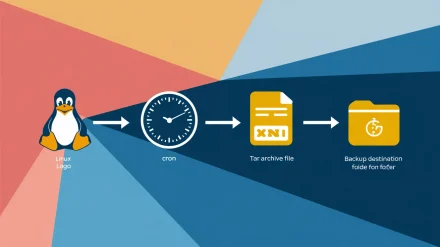
- Veeam Backup & Replication writes to a tape job as normal.
- StarWind Cloud VTL presents an emulated HP MSL8096 library over iSCSI.
- Virtual cartridges land on a local storage pool that StarWind manages.
- StarWind replicates completed cartridges to an S3 bucket, optionally tiering to Glacier for long retention.
The piece that surprises most engineers new to this stack is that the VTL emulates real HP hardware down to the device IDs. That is why the HPE StoreEver tape drivers are a hard prerequisite. Without them, Veeam will refuse to enumerate the library, and the error message will not point you at the driver layer.
The Build Runbook We Hand Junior Engineers
We treat this as a documented change with a CAB review, even on greenfield deployments, because the recovery path from a misconfigured VTL is painful. The runbook reads roughly as follows.
Pre-flight Components
Before the change window opens, the engineer collects three installers: StarWind Cloud VTL for AWS and Veeam, the HPE StoreEver Tape Drivers (we pin version 4.2.0.0 for Windows Server 2016 and newer), and Veeam Backup & Replication if it is not already in production. We stage all three on the backup server and verify checksums before touching anything. The AWS side needs a bucket created in the target region, an IAM user with scoped S3 permissions, and the Access Key ID and Secret Access Key stored in our secrets vault – never in a build document.
Installing StarWind and the Tape Drivers
The StarWind installer is a standard Windows MSI – accept the license, set the install path, and let it finish. The tape drivers are where engineers trip up. On a virtual backup server, double-clicking the HPE StoreEver package fails immediately. The workaround is to extract the package contents to a folder and install from there. We have caught this on at least four infrastructure consulting engagements and now flag it in the prerequisite checklist so it never bites a junior engineer at 02:00.
Configuring the StarWind Console
Open the StarWind management console, click Add Server, and add localhost since the console is on the same host as the service. Use Advanced, then Scan StarWind Servers to locate the local instance, and connect. The first prompt asks about a storage pool – this is where the virtual cartridge files live on disk before replication, so size it accordingly. We typically allocate enough local capacity for at least two full media sets plus headroom.
Once the pool is created, define the tape library. We pick the HP MSL8096 model with the option to fill empty slots checked. The library exposes itself over iSCSI, so create a target alias and tick the box that permits multiple concurrent iSCSI sessions. That setting matters later if you ever add a second tape server.
Wiring Up Cloud Replication
In the StarWind console, open Cloud Replication and enter the AWS Access Key ID, Secret Access Key, region, and bucket name. The Tape File Retention Settings page is where we have seen teams click through without reading. Retention here governs when StarWind purges cartridge files from the local pool after successful upload to S3. Set this too aggressively and you remove the local copy before you have verified the cloud copy. Set it too generously and your storage pool fills up unexpectedly.
iSCSI and Veeam
Open the Microsoft iSCSI Initiator on the backup server, start the service if Windows prompts, and connect to the StarWind target. Windows will enumerate the emulated library and the tape drives, which is the moment the HPE drivers earn their keep. From there, open the Veeam console, navigate to Tape Infrastructure, and add a tape server. Walk through the assistant – traffic rules are optional but worth configuring if the backup server shares uplinks with production traffic.
The Tape Job and the One Setting Everyone Misses
Once Veeam sees the library, create a File to Tape job from the Tape Job ribbon entry. Name it sensibly – we use the convention TAPE-AWS-<client>-<tier> so it sorts cleanly in the job list. Specify the files and folders, define a media pool, and accept the tape selection.
The setting that catches teams out is on the final review page: enable “export current media set upon job completion.” If this is unchecked, StarWind will not replicate the cartridges to S3, and you end up with a local VTL that looks healthy in Veeam but never makes it to the cloud. We caught this during a quarterly DR test for a logistics client and rewrote our build checklist that same week to make the setting a mandatory verification step.
For the broader DR picture, we link the VTL tier to existing orchestration. Our notes on Veeam failover plans cover how we sequence VM recovery alongside tape restores during a real incident.
Where This Solution Actually Fits
The honest take: an AWS Virtual Tape Library is not the right answer for every workload. We deploy it where three conditions hold – the client needs an air-gap-equivalent copy for compliance, the data volume sits comfortably under a few terabytes per cycle, and the recovery time objective allows for S3 or Glacier retrieval latency.
For clients with multi-terabyte daily change rates, the egress cost and rehydration time from S3 push us toward a different tier – usually an object-locked immutable repository or a hardened secondary site. For clients running bare-metal recovery scenarios where speed of restore is the binding constraint, tape – virtual or physical – is rarely in the critical path. We use it as the long-tail retention tier, not the front-line recovery tier.
Limitations Worth Stating Out Loud
A few caveats we always raise with clients before signing off on this design:
- The iSCSI dependency means a network glitch between the backup server and the StarWind service interrupts the tape job. We monitor the iSCSI session as a first-class health check.
- S3 egress is metered. Restore drills are not free, and we budget for at least one full-recovery test per year per protected workload.
- StarWind is a third-party dependency. License renewals belong in the same vendor management calendar as Veeam itself.
- The emulated library is not infinitely scalable. The MSL8096 model has slot limits, and we plan media pool sizing around them.
The Counterargument and Our Response
The most common pushback we hear is that direct-to-cloud object storage with immutability flags makes tape semantics obsolete. There is real merit to that argument for greenfield environments. But most of the environments we inherit have existing tape jobs, existing retention policies written in tape terms, and audit reports that reference tape rotation. Replacing the underlying storage while keeping the tape abstraction is a lower-risk change than rewriting the entire backup policy. We pick our battles, and this one is rarely worth fighting.
For teams that want the same kind of process-first build documentation applied to other parts of the Windows stack, our writeup on Intune compliance policies follows the same pattern of treating the configuration as a governed change rather than a one-off setup.
What We Hand to the Client at Handover
Every VTL deployment we close includes four artefacts: a build runbook with version-pinned installers, a restore runbook tested end-to-end at least once, a monitoring spec covering the iSCSI session and the S3 replication state, and a quarterly DR test calendar. The configuration itself takes a few hours. The supporting process is where the value sits, and where most teams under-invest.
If your team is staring at a similar tape-modernisation problem and wants a second opinion before committing, we are happy to walk through the design with you – reach out via our contact page and we will set up a working session.
The practical takeaway: an AWS Virtual Tape Library buys you cloud durability without throwing away the tape governance your auditors and your operations team already understand. Build it with the same change discipline you would apply to a physical library, document it like you will hand it to a stranger at 03:00, and test the restore path before you trust the backup path.