The Hidden Cost of Hosting Your Own SQL Server
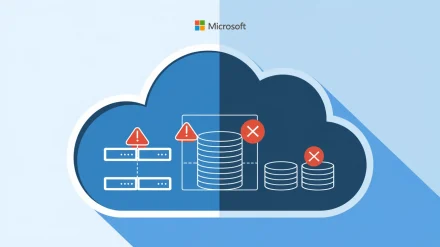
A financial services client came to us running SQL Server 2016 on three dedicated virtual machines — patching schedules managed manually, backups verified by a script nobody had tested in eight months, and a DBA splitting time across three other projects. When one of those VMs suffered a disk failure at 2 AM on a Friday, recovery took six hours. Not because the data was lost, but because the failover process had never been rehearsed.
That engagement is where Azure SQL Database stopped being a line item on a services comparison slide and started being the first thing we recommend for organizations still running relational workloads on self-managed infrastructure. Azure SQL Database is Microsoft’s fully managed relational database service built on SQL Server technology, and as a PaaS offering, it removes the infrastructure layer from your team’s responsibility entirely — no OS patching, no storage provisioning, no failover cluster architecture to maintain.
What You’re Actually Paying For When You Self-Host SQL Server
Most TCO analyses for self-hosted SQL Server undercount the real costs. The license is visible. The VM bill shows up monthly. What doesn’t appear cleanly is the engineering time spent on patching cycles, backup verification rituals, storage capacity planning meetings, and incident response at inconvenient hours.
During a capacity planning exercise for a mid-size retail client, we found their team spending roughly twelve hours per month on SQL Server maintenance tasks that Azure SQL Database would have automated entirely. At a blended engineering rate, that’s a recurring cost line that never appears in the original infrastructure budget. Moving those databases to Azure SQL Database didn’t just shift the cost envelope — it freed the team to work on problems that generate revenue.
If your organization runs SQL Server on a dedicated compute instance, the comparison deserves a serious TCO analysis before you assume self-hosted is cheaper at scale.
Core Features That Change the Operational Calculus
Automated Backups and Point-in-Time Restore
Azure SQL Database runs full, differential, and transaction log backups automatically with no configuration required. Point-in-time restore is available across a retention window of up to 35 days depending on your service tier. For that financial services client, this alone would have made the 2 AM disk failure incident a fifteen-minute recovery instead of a six-hour one. No verification scripts, no DBA oversight, no Friday night calls.
Automatic Scaling and Elastic Pools
You can scale compute up or down based on workload demand, either manually or through auto-scaling configurations. For multi-database environments with variable workloads, elastic pools allow you to share a resource pool across several databases rather than provisioning peak capacity for each one independently. An e-commerce platform running dozens of tenant databases sees meaningful cost reduction through elastic pools during off-peak periods while still absorbing seasonal spikes without manual intervention. The pool sizing calculation is worth doing carefully — shared resources across twenty tenant databases will consistently cost less than twenty individually provisioned databases even when aggregate DTU counts look similar.
High Availability as the Default State
High availability in Azure SQL Database is not a feature you configure — it is the default state of the service. Microsoft replicates data across multiple availability zones within a region and failover is automatic, backed by a 99.99% uptime SLA. For organizations that have spent engineering cycles building and maintaining SQL Server Always On Availability Groups, this shift in responsibility model is significant. You are paying for outcomes, not architecture.
Integrated Security Controls
Transparent data encryption is enabled by default. Advanced Threat Protection monitors for anomalous access patterns. Azure Active Directory authentication replaces SQL logins for identity management. When we assess database security posture for clients, we cross-reference against the MITRE ATT&CK framework’s database-targeting technique categories — specifically credential access and lateral movement paths through SQL Server. A properly configured Azure SQL Database with AAD authentication and private endpoints eliminates most of those attack paths by design rather than by detection.
Azure SQL Database vs. SQL Managed Instance: When the Distinction Actually Matters
This is where organizations make expensive architecture decisions based on incomplete information. Azure SQL Database and SQL Managed Instance are both PaaS offerings built on SQL Server technology, but they serve different migration scenarios and have a meaningful cost difference at scale.
Azure SQL Database suits new cloud-native applications and migrations where the application can accommodate the service’s feature boundaries. SQL Managed Instance is the correct choice when existing on-premises workloads depend on SQL Server features that standard Azure SQL Database does not support: CLR (Common Language Runtime), linked servers, cross-database queries using three-part naming, OPENQUERY, change data capture (CDC), and SQL Server Agent jobs with complex scheduling dependencies.
SQL Managed Instance also integrates with the Azure Data Migration Service, which streamlines moving existing on-premises SQL Server instances into Azure with minimal schema changes. If you are planning a lift-and-shift migration of a complex SQL Server environment, a Managed Instance compatibility assessment should precede any assumption that standard Azure SQL Database will accommodate everything.
My opinionated take: most organizations that insist on SQL Managed Instance have not actually audited which of those advanced features their applications actively use. We have conducted that audit for clients multiple times, and in the majority of engagements the answer was that a move to standard Azure SQL Database required only minor application changes. The cost difference between the two tiers is material at production scale, and that audit pays for itself quickly.
Deployment Tier Selection and Right-Sizing
Azure SQL Database offers three purchasing models: DTU-based, vCore-based, and serverless. The serverless tier is particularly well-suited for development environments and intermittently-used databases — it auto-pauses when idle and resumes on connection, billing only for actual compute consumption. For production workloads with predictable load patterns, the vCore model provides cleaner mapping between allocated compute and cost forecasting.
Right-sizing is where most initial deployments leave money on the table in both directions. Over-provisioning because workload is uncertain is a pattern inherited from on-premises infrastructure planning, where excess capacity is a hedge. In Azure SQL Database, the correct approach is to start at a conservative baseline, enable Query Performance Insight and Azure Monitor metrics, and scale based on observed data rather than projected peaks. When automating deployment tasks with PowerShell — and if you’re running parallel provisioning across multiple database instances — the same concurrency patterns discussed in optimizing concurrent operations with PowerShell ThrottleLimit apply directly to bulk Azure SQL scripting workflows.
Network Architecture and Security Baseline
Production Azure SQL Database deployments should not be reachable over the public internet. The correct pattern places your database behind a private endpoint within a Virtual Network, with network-layer access controls enforced before authentication is even relevant. Service endpoints are an acceptable intermediate configuration for lower-sensitivity workloads, but private endpoints are the architectural standard for anything handling production data.
For authentication, prefer Azure Active Directory over SQL authentication wherever possible. Password-based SQL authentication creates credential management overhead and expands the blast radius of a compromised account. AAD authentication supports conditional access policies and MFA enforcement, with audit trails that feed into your existing identity governance. For teams managing Windows infrastructure alongside Azure environments, the conceptual model behind Group Policy-based access control maps reasonably well to Azure AD Conditional Access policy design — the control objectives are similar even when the implementation layer differs.
For teams also working with VPS-hosted workloads that need to connect securely to Azure SQL Database, network segmentation and firewall rules at the Azure SQL level are your primary enforcement mechanism, not application-layer connection string management.
The Caveat Worth Acknowledging
Azure SQL Database is not the right answer for every relational workload. Workloads with hard dependencies on SQL Server features only available in Managed Instance will require application re-architecture if forced into standard Azure SQL Database — that re-architecture cost can easily exceed the operational savings. Organizations with strict data residency requirements also need to verify that their required Azure regions support the specific service tier they are targeting before committing to an architecture.
There are also workloads where the latency profile of a fully managed cloud database does not satisfy application requirements. In practice, this is less common than organizations assume during pre-migration risk assessments, but it is a legitimate constraint that warrants measurement rather than assumption.
A Practical Starting Point for Your First Azure SQL Deployment
If you are evaluating Azure SQL Database for a migration or a new application build, these five steps create a credible starting position:
1. Run the Database Experimentation Assistant (DEA) or an Azure Migrate database assessment against your existing SQL Server instance to identify compatibility gaps before selecting a target tier.
2. Provision a serverless tier instance for initial testing. The auto-pause behavior keeps development costs minimal while you validate compatibility and query behavior.
3. Enable Azure Defender for SQL from day one. Vulnerability assessment and threat detection are most useful when you have a baseline established before production traffic begins.
4. Define your private endpoint and Virtual Network configuration before loading production data. Retrofitting network architecture onto a live database environment is avoidable complexity.
5. Configure Azure Monitor alerts on CPU, DTU consumption, and storage thresholds before go-live. Query Performance Insight will surface your top resource-consuming queries within the first week of real traffic — use that data to right-size before your first billing cycle closes.
The organizations that extract the most value from Azure SQL Database treat migration as an opportunity to establish proper monitoring and security baselines rather than a database location change. If you want a structured assessment of whether Azure SQL Database or SQL Managed Instance fits your environment, reach out to the SSE team and we will map your workload requirements against the right service tier and pricing model.